Product Update: April 2026 - Meet Your Agent


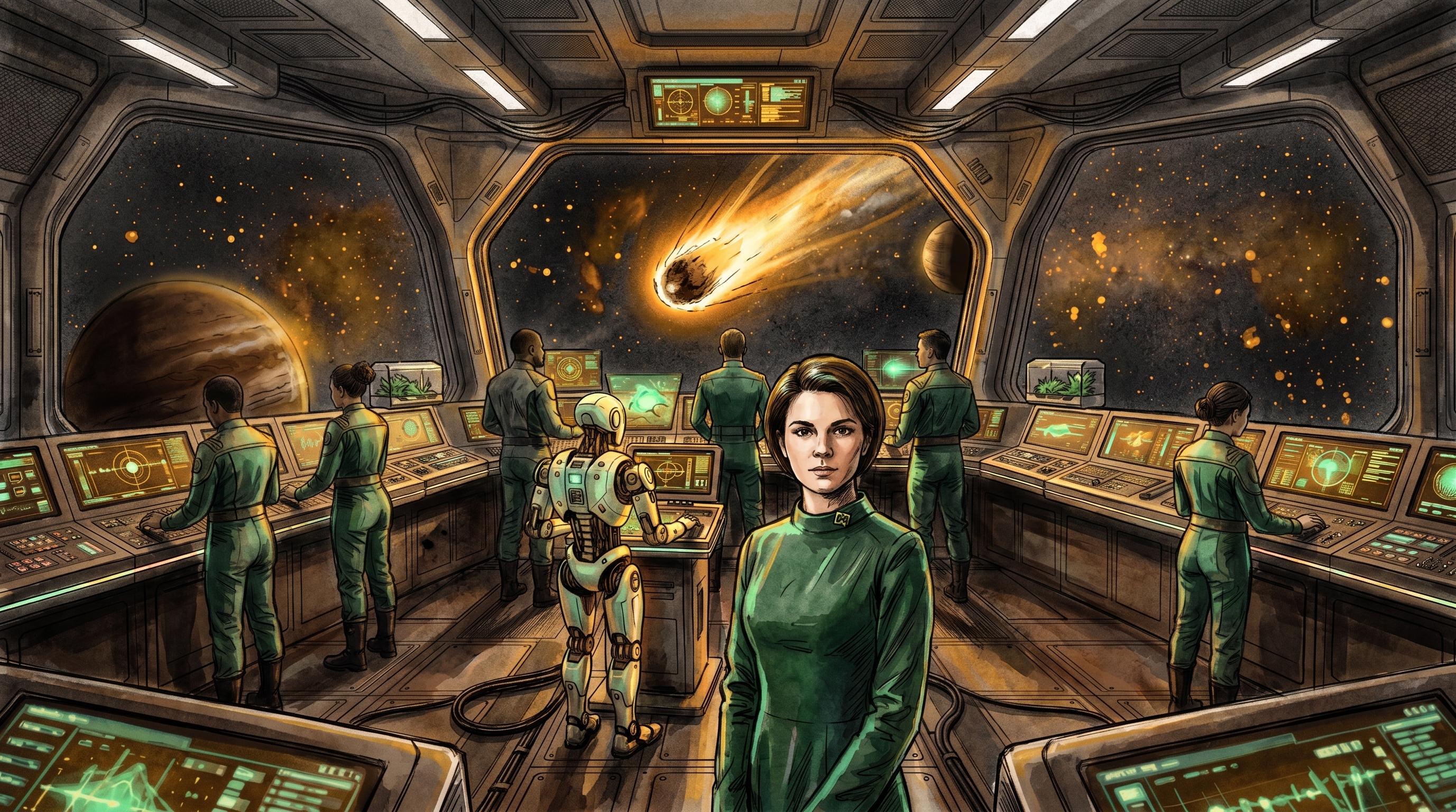
Sometime in mid-April I asked Nova to update a feedback item without watching her do it. She did. Then she did it again on a theme, then on a change. I had to sign off each time, but the loop felt different. Not "click to run an AI feature" but "ask a coworker to handle it." That's the moment Nova stopped feeling like an assistant and started feeling like a teammate.
That shift is what April was about. Command Bridge gave Nova (and the rest of the workspace) a place to live. The new Crew model gave her a face and a presence. Memory compaction controls and explicit approval flows gave her boundaries, which is the part most AI products skip. The Activity Ledger we shipped in March finally got to do its job, because a coworker who can't show their work isn't really a coworker.
The other half of April was about closing the loop from idea to shipped code. Here's the full picture.
Nova Steps Up
Nova got promoted in April. She has her own avatar and visual presence on the Crew, a dedicated dockable panel (left, right, or bottom, with mobile drawer support), and a streaming Live Timeline that shows what background tasks are doing in real time. By month-end she could inspect and act across nearly every product entity in the workspace: capabilities, feedback, themes, changes, pillars, opportunities, bets, experiments, signals. She can create and update approved feedback and directly manage changes (create, update, link, delete).
The Feedback Detail view was redesigned to fit this new partnership. A two-column layout with a collaboration sidebar puts human comments and Nova Insights in the same conversation. When a teammate leaves a note on a feedback item, Nova's interpretation sits right next to it, not behind a button you have to remember to click.
Reach Without Trust Would Be a Disaster
So April also shipped the controls that make reach safe. Background actions that mutate data require explicit approval. Admins get a workspace-level opt-in for AI and Automation, and the agent falls back to read-only suggestions when mutations are disabled. Model selection in Agent Chat lets you pick basic, standard or advanced depending on the depth you want.
Memory got a serious upgrade too. A configurable Sliding Window trigger for compaction, in-chat compression markers that preserve conversation visibility (you can expand them to see what was summarized), and safer defaults that retain a larger recent context before summarizing. Background tool activity and AI job results land in the chat timeline so nothing happens behind a curtain.
An AI without boundaries is a liability. An AI with boundaries and a face is a coworker. That distinction is the whole game.
A Place for the Work
The main operations hub officially launched as Command Bridge (Bridge in the side nav). It pulls together agents, active learning clusters, and team rosters into one screen so you can see who and what is working on what without hopping between pages. An Active Roster side panel shows live capability states, and crew cards got a portrait split layout with larger hero visuals. The system AI is now presented as Nexus for clearer system identity.
The Dashboard, the Bridge, and the AI assistant panel together make the workspace feel like a control room rather than a bag of tools. Underneath, the Background AI Jobs Engine runs the long-running work (classification sweeps, synthesis passes, batch operations) over a more efficient database plus realtime pipeline so results surface reliably and quickly.
Planning Meets Shipping
The new Changes page is the hinge piece. Planning items and delivery events share one unified timeline you can view, filter (by month, capability, status), group, and create from. Four KPIs (Total Changes, Active Integrations, In Progress, Completed) give a project-health snapshot, and inline status editing keeps the board honest.
Underneath, integrations got serious. One-click GitHub connection with historic PR import (selectable date range). Native Jira Cloud with project mapping. Bidirectional sync of issue descriptions across both, so external trackers stop drifting from the workspace. Themes export straight to GitHub Issues or Jira Epics and Stories with configurable field mapping and automatic link tracking. Real-time PR statuses surface in the Changes timeline.
Outcomet stopped being a place where ideas live, and started being a place where ideas get traced through to release.
The Strategy Map Gets Honest
Strategy Maps got a structural cleanup. The full three-level hierarchy (Pillar → Opportunity → Bet) was restored and validated, Discovery items now correctly link to their Bets, and Semantic Layers let you group and filter Pillars, Opportunities, and Bets across views. The Strategy Graph itself auto-resizes to panel state, has a deterministic layout, and a new Rearrange Layout control for predictable reflows. Legends and node coloring are synchronized so the visual cues match the semantics. Strategy exports use the right Opportunity and Bet labels and download reliably across browsers.
Strategy metrics (Opportunity counts, Evidence Coverage, Strategy Progress) were corrected too, so KPIs measure real associations to Bets and experiments rather than phantom links.
Feedback Graduates to Alpha
The Feedback module officially moved to Alpha this month. Anonymous feedback submission is now supported for more candid input, classification and analysis got an accuracy upgrade, and severity indicators were refined to a cleaner S0 through S3 scale. Combined with the Nova Insights sidebar, it's the first module in Outcomet that feels finished enough to lean on for real triage work.
By the Numbers
- 4 release weeks
- 1 net-new interface launched: Command Bridge
- 1 module graduation: Feedback to Alpha
- 1 agent promoted to primary Crew member: Nova
- 2 issue trackers now syncing both ways: GitHub, Jira
The Details That Add Up
- Total Agent Work metric on dashboards with real-time and backfilled historical day-by-day trends.
- Account & Billing self-service: subscription status, usage limits, and consumption metrics from the user menu.
- Default Role for new users (Viewer, Member, Admin) configurable from Members settings.
- Unified EmptyState experience across Discovery, Signals, Capabilities, and Bridge for clearer guidance when content is absent.
- Capabilities Map fix so dragging or misclicks outside grouped nodes no longer hijack selection.
- More resilient live chat streaming with reduced disconnects on fragmented message streams.
- Real-time Changes and Feedback streams with non-intrusive toasts on new items, and quieter notifications that fire only on real status changes.
- GitHub sync accuracy fixes: "won't do" and duplicate statuses map to Cancelled, and comments don't revert Completed items.
- Guided OAuth and onboarding for Jira and GitHub with clearer Test Connection controls, plus unified connection health indicators across Jira, GitHub, and LinkedIn.
- Tighter typography across operational views (Feedback, Theme, Changelog, Bridge), recovered historical content, and cleaner error monitoring across the board.
- Discovery creation actions (New Bet, New Hypothesis, New Experiment) moved into the header with context-highlighted primary actions and standardized creation dialogs.
- Changelog redesigned with a three-column grid (Archive, Monthly, Weekly) and persistent left navigation. Documentation structure flattened.
What's Next
April was four release weeks, one alpha graduation, one new interface, and one agent that earned a name. Worth it.
May picks up where Nova's expansion ends. Expect deeper analytical capabilities, tighter handoffs between Nova and the rest of the workspace (especially Discovery and Strategy), and the next module graduation from Exploration toward Alpha. The Changes timeline gets richer too as more integrations come online.
If you're new and reading this: the easiest way to feel what's different is to connect a GitHub repo, ask Nova for a hand on a feedback item, and watch the loop close.
— Andy
Full Changelog
New Capabilities
-
Command Bridge (unified control hub): Consolidated main navigation and reintroduced the Dashboard as the Command Bridge (shortened to Bridge), centralizing Agents, rosters, active learning clusters, and activity feeds. Access people, agents, and running work from a single interface designed for rapid context switching and catch-up.
-
Persistent, dockable AI Assistant and Nova: The assistant area is now a first-class, dockable panel (left, right, or bottom) with remembered preferences and mobile-friendly drawer behavior. Nova introduced as a primary Crew agent with a dedicated visual presence and avatar for contextual project assistance. Position and resize the AI panel, reopen it with a floating control, and follow live agent activity via a streaming Live Timeline that shows real-time progress of background tasks.
-
AI & Agent controls and safety: New explicit approval flows require users to confirm any agent actions that modify data. Administrators can opt teams into autonomous AI data mutations via a workspace setting that surfaces clear safety warnings. Agent Chat now supports intelligence selection (basic, standard, advanced) so you can choose the assistant's intelligence and style, plus improved long-message handling to preserve continuity.
-
Memory and long-conversation improvements: Agents now support dynamic and manual memory compaction controls (Sliding Window trigger), in-chat compression markers with expandable summaries, and safer defaults that retain a larger recent context before summarizing. Reduces token usage while preventing "agentic amnesia" in long-running conversations.
-
Background Agents & AI Jobs Engine: Submit asynchronous jobs for long-running tasks and monitor them in the UI; job results are persisted and exposed for easier retrieval. Background job processing now uses a more efficient DB plus realtime pipeline so results surface reliably and faster. The Live Timeline shows streaming updates as background agents execute.
-
Changes & Delivery timeline: A brand-new Changes module with a unified timeline lets you view, filter (by month, capability, status), and group change events. Four KPIs (Total Changes, Active Integrations, In Progress, Completed) give a project-health snapshot, with inline status editing. Create change records manually or let integrations (GitHub PRs) populate the timeline automatically.
-
One-click GitHub & Native Jira integrations: Connect GitHub repositories quickly and import historic PRs with a date boundary selector. Native Jira Cloud integration allows mapping issues directly into Outcomet and surfacing issue changes as actionable signals. Pull requests and PR statuses are surfaced in the Changes timeline so development activity appears in your product view in near real time.
-
Bi-directional issue syncing & external exports: Pull external updates and push local edits back to GitHub or Jira to keep issue descriptions consistent across systems. Themes and roadmap items can be exported to external trackers (GitHub Issues, Jira Epics and Stories) with configurable field mapping and automatic link tracking.
-
Strategy map upgrades & semantic layers: Strategy Maps now support Semantic Layers to group and filter Pillars, Opportunities, and Bets. Restored and validated the full three-level strategy hierarchy (Pillar → Opportunity → Bet) and ensured Discovery items correctly link to their associated Bets, so strategy views, Wardley Maps, Tree view, and the Strategy Graph reflect true organizational structure.
-
Strategy Graph and visualization improvements: Graph auto-resizes and scales to panel states, offers a deterministic layout and a new Rearrange Layout control for predictable reflows while editing or dragging nodes. Exports now use accurate Opportunity and Bets labels and download reliably across browsers. Legends and node coloring synchronized so visual cues match map semantics.
-
Dashboards: agent work visibility and trends: Dashboards now show Total Agent Work in real time, with backfilled historical day-by-day totals and trendline charts so you can monitor agent activity and spot changes in effort over time.
-
Account & Billing self-service: Profile and Billing & Plans pages are available from the user menu so you can view subscription status, usage limits, and consumption metrics directly in the app. Billing dialogs and the user menu were streamlined for faster access.
-
Feedback module graduates to Alpha: Feedback classification and analysis upgraded to deliver more accurate, actionable insights. Anonymous feedback submission supported for candid input. Severity indicators refined to S0 through S3 for clearer prioritization. The Feedback Detail view redesigned into a two-column layout with a collaboration sidebar and Nova Insights to surface AI-driven context alongside comments.
-
Crew management and profiles: Added an Active Roster side panel that shows live capability states and active units. Crew cards and member detail modals visually refreshed with larger hero visuals and portrait layouts. The System-AI is presented as Nexus for clearer system identity.
-
Default Role for new users: Configurable default role (Viewer, Member, Admin) for new workspace members from the Members settings.
Changes & Improvements
-
Navigation & creation flow changes: Main navigation simplified. Dashboard renamed Command/Bridge, Agents promoted to top-level navigation, sidebar/header behavior modernized (standard collapsed width, collapse control moved to header, smoother transitions). Discovery actions redesigned so primary creation actions (New Bet, New Hypothesis, New Experiment) are surfaced in the header and the most relevant action is context-highlighted. Creation dialogs standardized for consistent styling and predictable behavior.
-
Strategy and metrics adjustments: Strategy exports and visualization now consistently reflect Opportunities and Bets. Strategy metrics (Opportunity counts, Evidence Coverage, Strategy Progress) corrected so progress and KPIs measure real associations to Bets and experiments.
-
Agent experience and chat reliability: Live chat streaming more tolerant of fragmented message streams with reduced disconnects. Agent timelines and conversation panels more stable with reduced redundant interactions when multiple agent panels are open. Real-time agent activity and background tool actions surfaced inline in chat as chips or timeline entries for transparency.
-
Integrations and setup UX: OAuth and onboarding flows for Jira and GitHub streamlined with guided setup UIs, clearer Test Connection controls, and more robust redirect handling. Integration cards and settings redesigned for consistency. Connection health indicators now show unified status across Jira, GitHub, and LinkedIn so you can spot problems earlier.
-
GitHub sync accuracy fixes: "Won't do" and duplicate statuses now map to Cancelled, and comments no longer revert Completed items.
-
Real-time updates and sync behavior: Changes timeline, GitHub PR imports, and the Feedback Inbox now auto-update in real time so new items appear without manual refresh, with non-intrusive toasts on new items. Change notifications less noisy: they fire only when a status truly changes, and the Changes timeline supports filtering by Cancelled, Failed, and Rolled back statuses.
-
Changelog & documentation navigation: Changelog redesigned with a three-column grid (Archive, Monthly, Weekly) and persistent left navigation for quicker historical browsing. Documentation structure flattened and navigation improved so help content is faster to find.
-
UI polish and empty states: Unified EmptyState experience rolled out across Discovery, Signals, Capabilities, and Bridge to provide clearer guidance when content is absent. Feedback, capabilities, and discovery views received alignment and spacing fixes to improve readability and reduce visual noise. Tighter typography across operational views (Feedback, Theme, Changelog, Bridge).
-
Capabilities Map selection fix: Dragging or misclicks outside grouped nodes no longer hijack selection.
-
Recovered historical content and cleaner error monitoring across the board.
-
Performance, reliability, and operational quality: A broad set of improvements across the platform, including faster session replays, more resilient background job processing, reduced noisy alerts, and better cross-platform consistency, all aimed at making interactions faster and more dependable as you scale your workflows.
Related Posts
Your Coding Agent Has the Ticket. It Doesn't Have the Customer.
I let an agent run for ten hours on one feature, off a PRD I had polished for days. It came back technically integrated and no user could operate it. The spec had the what. The why was sitting somewhere else, and the agent had no way to read it. Outcomet's MCP connection changes that.
August 2026: Say What You Mean
Outcomet ships a review path for agent-proposed capability changes, GitHub issues as first-class Work Items, and MCP connections that survive a server restart.
The Five Meters Back
A few weeks ago I gave in and built a Jira integration into the product I am building. I did not want it there. It points backwards, into the way of working I think is ending. For a while I filed that work under waste, until I heard what I was actually claiming: my thing is right, so the market should do the walking.