Product Upate: May 2026 - Close the Loop


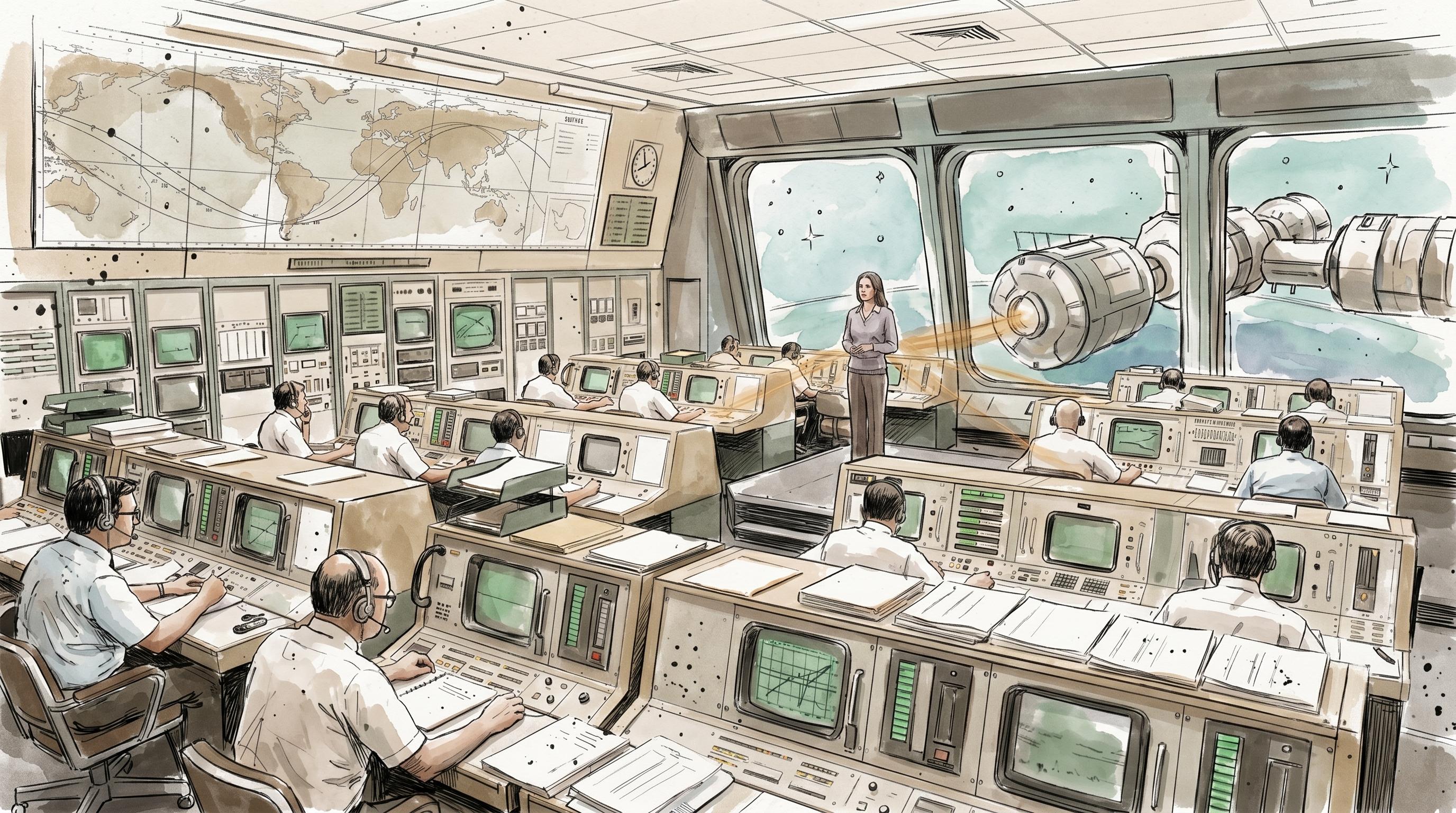

Early in May I deleted the Discovery Pipeline.
It had been a tidy list of discovery items, and lists are comforting. But the list was hiding the actual shape of the work. An opportunity spawns bets. A bet rests on hypotheses. A hypothesis gets tested by experiments. Experiments produce evidence. That's not a list, that's a tree. So I built the Validation Tree and watched the work finally look like what it is.
That's what May turned into. April was the month Nova became a coworker. May was the month the rest of the product caught up to her, and everything turned into something you navigate instead of something you scroll. A feedback item can now be traced through to a bet, to an experiment, to the change that shipped, to the learning that came back. The loop you always draw on a whiteboard is in the product now.
Here's what shipped.
Discovery Finally Looks Like a Tree
For most of Outcomet's life, discovery lived in a flat Pipeline. It worked, but a list flattens the one thing that matters in product discovery: that ideas have structure. The Validation Tree replaces the Pipeline with an interactive, full-bleed graph of exactly that shape, Opportunities > Bets > Hypotheses > Experiments > Evidence. Each node carries a radial progress indicator, opens a slide-out detail sheet when you click it, and drags into place so you can rearrange the evidence flow to match how the thinking actually moved.
Underneath the tree, experiments got a real workflow. The Experiments Kanban moves work across five validation stages, Backlog > Designed > Running > Analyzing > Concluded, with drag-and-drop status updates and richer cards that show objectives, method and type badges, cost and duration estimates, and learning counters. Bets, hypotheses, and experiments link many-to-many, so you can model the messy reality where one experiment informs several bets at once.
And because a blank experiment form is its own kind of friction, there's now a Methods Library: 31 template methods with previews and target-layer badges. Pick a method, edit it in a split-pane preview, and it drops straight into the tree and the Kanban. Structured discovery used to be something you did in a separate tool, or didn't do at all. Now it's part of the same graph that holds your feedback and your roadmap.
Plan on a Canvas, Ship on a Timeline
Planning got a canvas. The board prototype is gone, replaced by a freeform Planning canvas where feedback themes are draggable nodes you arrange into strategic chains across Now, Next, and Later horizons. Move a theme and its horizon metadata updates itself. A dynamic Today root keeps the focus from drifting, and shared view state means a collaborative planning session stays in sync instead of resetting on every reload.
Delivery moved onto a graph too, and reached Alpha this month. The Changes view is now a horizontal timeline that connects shipped work to the capabilities, themes, and learnings it touched, with pan, zoom, and navigation by day, week, or month. Work Items arrived alongside it as a separate planning artifact, issue-like records that link to Changes, Themes, and Capabilities, so a change can show the work that drove it. Learning cards sit inline under linked themes with evidence and recommended next steps, so acting on an outcome doesn't mean leaving the graph.
The hard part wasn't building the surfaces. It was making them speak to each other. That's where the month actually went.
Nova Works the Whole Loop
April gave Nova a name and a face. May gave her reach. She can now inspect and act across the full product surface, capabilities, feedback, themes, changes, pillars, opportunities, bets, experiments, and signals, inside a single scoped workflow. From a conversation you can create, update, approve, reject, and reopen feedback right down to individual chunks, and create, update, link, or delete change records. Linking a theme to a capability and back happens in chat, so triage doesn't mean leaving the conversation to go click around.
The plumbing caught up too. Multi-turn context and prior tool results are preserved, large tool outputs get compacted so follow-ups stay clean, and finished tool cards survive a chat reload. The agent roster is discoverable now, with specialist profiles for Nova, Polaris, Vega, and Nexus, and the radial launcher lets you pick Polaris directly. Nova can even update a theme's lifecycle status when you ask her to, which turns a lot of small administrative clicks into a sentence.
The Workspace Connects Outward
Two of May's additions point outside the product. Contacts is a new module, Companies, Contacts, and Campaigns, with the lists, filters, and detail views you already know from everywhere else. The point isn't to be a sales CRM. Contacts and companies carry source labels, a LinkedIn hit for example, and feedback counts, so the people behind your feedback live in the same graph as the feedback itself. A JSON import flow with preview counts, dedup, and protection for user-edited fields makes bringing them in safe, and new contacts auto-resolve to existing companies by normalized domain so you don't end up with three versions of the same account.
Signals reached outward too. ora.ai joined as a source. Configure multiple domains, sync daily or manually, and see per-domain health and ora.ai scores rendered right on Signals graphs and detail panels. Signals also picked up delivery-backed metrics for Changes, so the totals, in-progress, and completed work you track in delivery now show up as history you can read over time.
By the Numbers
- 4 release weeks
- 1 net-new module: Contacts
- 1 module graduation: Delivery to Alpha
- 1 new Signals source: ora.ai
- 31 experiment templates in the Methods Library
- 4 agents on the roster: Nova, Polaris, Vega, Nexus
The Details That Add Up
- Opportunity Maps: Wardley maps reworked into explicit Opportunity maps, with map selection up front and direct drag-and-drop placement of bets and capabilities on the canvas.
- One graph control bar across Capabilities, Changes, and Feedback, with per-graph customization and JSON export of visual settings for reuse elsewhere.
- A single resizable Rich Text Editor across the app, plus a right-hand Story Drawer to inspect a story's status, synopsis, artifacts, and rollout without leaving the catalog.
- Billing foundation for subscriptions, trials, and plans, with a Usage Widget breaking down model input and output, cache reads and writes, and tool costs per section.
- Simplified feedback lifecycle: statuses are now Open, Rejected, or Closed, with S0-S3 severity badges and sentiment rollups for faster triage.
- Capability details lead with Health KPIs now, with emoji markers and standardized relationship sections for clearer scanning.
- Unified linked-item controls and animated navigation across Capability, Theme, Feedback, and Chunk details, with display preferences that persist across reloads.
- Brand polish: Merriweather for page headings, standardized buttons, and a consistent "Deploy Member" command label across the app.
What's Next
May connected the stages. June is about making those connections earn their keep, turning the evidence that flows back from experiments and delivery into decisions you can act on without leaving the graph. Expect the Discovery layer to keep maturing toward its own Alpha, Nova to get sharper at the analytical work, and more sources feeding Signals.
If you're new and reading this: open the Validation Tree, drag a few feedback themes onto the Roadmap canvas, and trace one of them through to a change that shipped. That's the loop, and now it's all in one place.
— Andy
Full Changelog
New Capabilities
-
Nova: broader inspection and in-chat action: Nova can now inspect and act across the full product surface (capabilities, feedback, themes, changes, pillars, opportunities, bets, experiments, and signals) within a single scoped workflow.
- Create, update, approve, reject, and reopen feedback (including individual feedback chunks), and create, update, link, and delete change records, all from conversation.
- In-chat linking and unlinking: link themes to capabilities and vice-versa directly from Nova's chat interface, reducing context switching during triage and routing feedback straight to roadmap items.
- Conversation continuity and tool reliability: multi-turn context and prior tool results are preserved for snappier, more reliable conversations, large tool outputs are compacted to avoid noisy follow-ups, and finished tool cards persist across chat reloads.
-
Feedback triage and chunk-level moderation:
- Simplified lifecycle: feedback statuses are now Open, Rejected, or Closed (legacy processed items treated as Open) for clearer triage and reporting.
- Chunk-level control: review, approve, reject, or reopen individual feedback chunks without altering the parent feedback, and navigate between chunk and feedback detail inline. Feedback chunks now show parent context, sentiment rollups, and readable severity and sentiment indicators.
- Better linking UX: linked feedback is displayed with rendered Markdown and one-click navigation to the chunk detail.
-
Capability graphs and AI-driven insights:
- Nova-driven graph exploration surfaces capability hierarchies, child and parent relationships, and cascading impacts so teams can see which capabilities are most affected by feedback or changes.
- New graph modes (orbit and tree), unified styling, and graph tuning controls let you explore capability and feedback graphs with selectable layouts, color and opacity controls, and staged loading for large maps.
- Capability detail improvements: Health KPIs are surfaced up front, with emoji markers and standardized relationship sections.
-
Planning canvas and roadmap improvements:
- Freeform Planning canvas replaces the board prototype with a draggable graph of feedback themes arranged into strategic horizontal chains. Move themes freely, cluster them, and position them across dynamic Now, Next, and Later horizons that automatically update theme metadata.
- AI-assisted Theme Suggestions now map open feedback into candidate themes and can automatically attach underlying feedback to newly created themes.
- Planning preserves shared view state and saved settings so collaborative sessions stay in sync.
-
Delivery, Changes timeline, and Work Items (Delivery Alpha):
- Graph-first Changes view: visualize shipped work on a horizontal timeline that connects changes to capabilities, feedback themes, and surfaced learnings, with pan, zoom, and timeline navigation by day, week, or month.
- Work Items: a new delivery-planning context for issue-like planning artifacts that link to Changes, Themes, and Capabilities. Change details can now show a "Driven by Work Items" context to improve traceability from plan to execution.
- Learning cards: inspect evidence and recommended next steps inline under linked themes so teams can act on outcomes without leaving the graph.
- GitHub and Jira rendering: imported issues and work items now render markdown for easier handoff, and GitHub imports respect app permissions and report gaps without failing already-imported items.
-
Validation Tree, Bets, Experiments, and Methods Library:
- Validation Tree replaces the old Pipeline with an interactive, full-bleed graph visualizing Opportunities > Bets > Hypotheses > Experiments > Evidence. Nodes are interactive, draggable, and open slide-out detail sheets.
- Experiments Kanban: a five-stage board (Backlog, Designed, Running, Analyzing, Concluded) with drag-and-drop updates, richer experiment cards (objectives, method and type badges, cost and duration estimates, learning counters), and many-to-many linking between Bets, Hypotheses, and Experiments.
- Methods Library: browse 31 template methods with previews and target-layer badges to create experiments from proven templates quickly. Templates integrate into the Validation Tree and Kanban workflows.
-
Contacts: lightweight CRM for outreach and provenance:
- New Contacts module (Companies, Contacts, Campaigns) with creation flows, lists, filtering, and detail views. Contacts and companies display source labels (e.g. LinkedIn hits) and feedback counts, making outreach and research provenance visible.
- JSON import flow with preview counts, queued progress, deduplication, and preservation of existing user-edited data so imports are safe and auditable.
-
Signals and integrations:
- Delivery-backed Signals for Changes: see historical metrics of totals, in-progress and completed work, and active integrations to understand delivery over time.
- ora.ai integration: configure multiple domains, enable daily or manual sync, and view per-domain health and ora.ai scores directly in Signals graphs and detail panels.
-
Editor and Story UX:
- Single, resizable Rich Text Editor across the app and a right-hand Story Drawer for quick story inspection (status, synopsis, artifacts, rollout schedule) without leaving the catalog.
- Changelog Viewer now surfaces manually refined release notes when available, and historical monthly digests are accessible for reference.
-
Billing and usage visibility:
- Billing foundation for subscriptions, trials, and plan management is in place, and paid subscriptions appear on the billing page immediately.
- A new Usage Widget shows compact breakdowns of model input and output, cache reads and writes, approximate tool payload sizes, and more accurate per-section cost calculations to help teams monitor Agent Work usage and control costs.
Changes & Improvements
-
Unified linked-item UX and consistent navigation:
- Linked-item sections and relation controls (link, create, open, unlink, edit) were standardized across Capability, Theme, Feedback, and Chunk details to provide a predictable, scannable layout and consistent edit behaviors.
- Detail navigation is harmonized with animated stack behavior across related entities so transitions feel smooth and predictable when drilling into related records.
- Section display preferences (collapse and expand, local search, sorting, card density) now persist across reloads to reduce repetitive configuration.
-
Graph, map, and visualization polish:
- Wardley maps reworked into explicit Opportunity maps: pick the active map before canvas load, switch maps from the primary filter bar, and place bets and capabilities directly on the canvas with improved drag-and-drop and keyboard help.
- Graph visual language harmonized across Feedback, Capabilities, Strategy, and Delivery: consistent colors, edge styling, node treatments, and readable label controls (hero, composite, atomic), plus session persistence of style preferences and a unified control bar with JSON export of visual settings.
- Graph tuning controls, non-scaling label behaviors, improved zoom and drag responsiveness, and better defaults (tuned typography and palettes) make large or dense graphs more usable out of the box.
-
Feedback and triage UX improvements:
- Feedback list and detail views were simplified: chunk statuses, sentiment labels, visible theme counts, and severity badges (S0-S3) provide quicker triage signals.
- Feedback search and tool cards now show human-friendly theme names and short IDs so results are easier to scan during review.
-
Delivery workspace and timeline alignment:
- Delivery workspace navigation was aligned (Timeline, Work Items, Changes) so teams can move between planning and execution views. Timeline visibility now distinguishes active in-progress lanes from future planning placeholders.
-
Validation Tree and Experiments UI refinements:
- Improved tree centering, preserved pan and zoom, simplified node menus (left-click opens details), and safe Unlink actions replace destructive deletes to reduce accidental data loss.
- Sidebar and bets panel refinements: compact floating Bets panel, collapsible opportunity groups, persisted Bet selection via URL and local state, and clearer visual taxonomy for Bet, Hypothesis, and Experiment cards.
-
Agent roster, launcher, and accessibility updates:
- Specialist profiles for Nova, Polaris, Vega, and Nexus are now discoverable with role descriptions and core question prompts. The radial launcher supports Polaris as a selectable specialist and improved keyboard navigation with per-agent customization options.
-
Smart contact and company matching: New contacts automatically resolve and link to existing company profiles using normalized domain matching, and contact upsert processes are more resilient against duplicate-domain conflicts and placeholder-ID failures.
-
Deploy Member preview and crew focus: Deploying an agent now previews what it will do before you confirm, and the Crew roster lists only currently deployed agents to keep the page focused.
-
Naming and brand polish: App typography refreshed for a more editorial feel (Merriweather for page headings), header and action button styling standardized, and the primary command label standardized to "Deploy Member" for consistent cross-app language.
-
Performance, reliability, and cost visibility: Saved planning settings and graph coordinates are now resilient to stale or invalid values so saved views won't corrupt when switching tabs or filters. The feedback capability graph ships with a lower-latency default preset, change lookup and search are faster and more precise, and a Safari private-mode fix keeps state persistence from triggering errors.
Related Posts
Nobody Asked Me to Write That Down
I used to take my backend developers into customer interviews. The understanding lived in the room, and we never wrote it down. It worked beautifully, and it left almost no trace. Product teams document their output obsessively and their reasoning almost never, which is why a strategy can walk out the door with one person.
Product Update: June 2026 - Context, Converted
Outcomet ships a standalone Campaigns module, automatic contact deduplication, GitHub/Jira delivery sync, and a new MCP server for connecting outside agents to your workspace.
The Question Five Agents Never Asked
This week five AI agents worked for me in parallel for thirty minutes. The idea was half-botched from the start. They executed it beautifully anyway, and not one of them stopped to ask whether we were building the right thing. That missing question turned out to be the whole job.